When we are in the market for the latest TV, laptop, tablet, or smartphone, we will encounter some of the latest in digital display technology. Flat screen technology, first introduced in the 1990s, makes it possible for devices to be smaller, lighter, and more energy efficient. Technological advances allow for stunning visuals through higher resolution and faster refresh rates. Now, consumers can even shop for devices with bendable and foldable displays.
The original flat panel displays depended on LCD (Liquid Crystal Display), Digital Light Processing (DLP), or Plasma. While you may still find LCD panels in some lower-end electronics, all of these have been replaced with newer technology that continues to help improve everything from TVs to smartphones.
Today’s devices are powered by five main advanced display technologies, each with advantages making them suitable for common electronics applications.
LED (Light Emitting Diode) – These are, essentially, LCD panels that use modern LED backlighting. This gives them improved brightness and color accuracy. They are often found on computer monitors and TV screens.
QLED (Quantum Dot LED) – QLED technology uses nano-scale crystals to enhance LED displays. These “quantum dots” emit their own light when hit by the backlight and improve the brightness and range of color. QLEDs are currently found mostly in high-end TVs and are especially suited to bright settings.
OLED (Organic Light Emitting Diode) – OLED is a breakthrough in that each pixel emits its own light. Because of this, no backlight is required, which leads to truer blacks and more vibrant colors. This display type is popular in high-end smartphones and premium TVs.
AMOLED (Active Matrix Organic Light Emitting Diode) – This technology adds a layer of semiconductors that provide faster response times. Their superior performance makes them popular for premium smartphones and tablets. They can also be manufactured to be flexible, which means you will find them in new foldable devices.
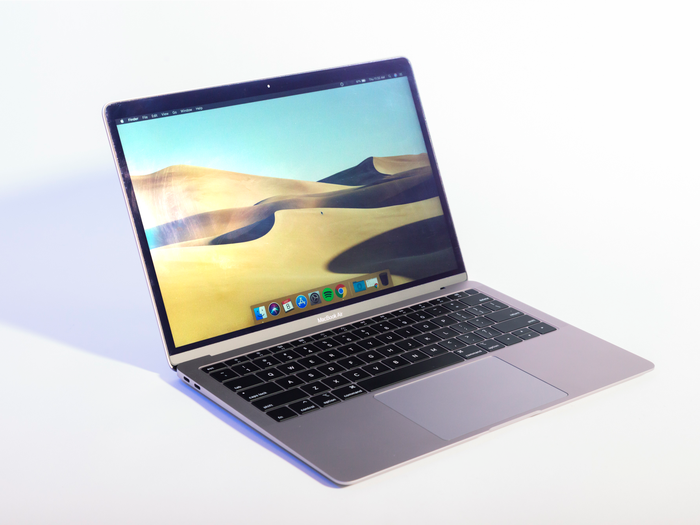
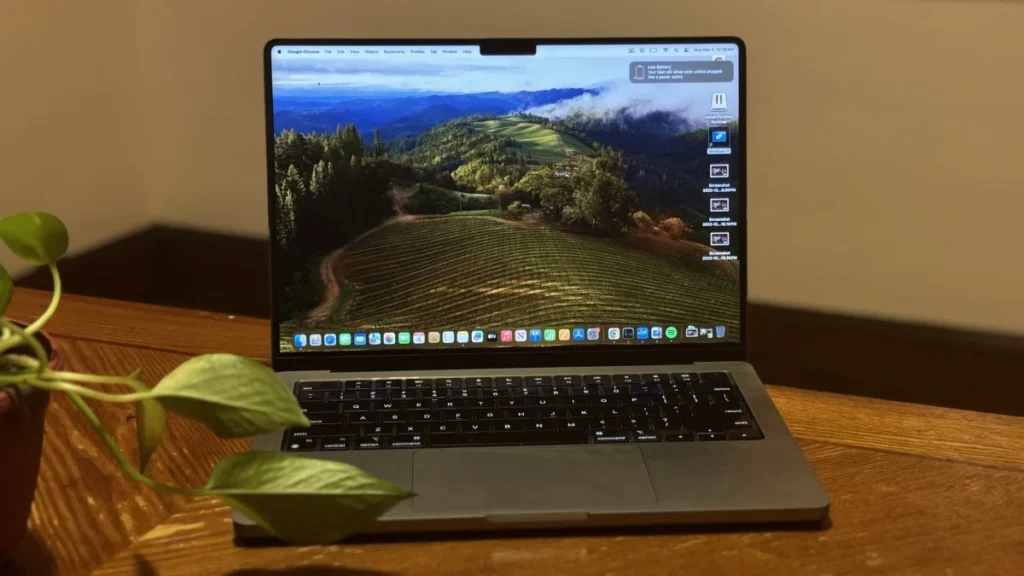
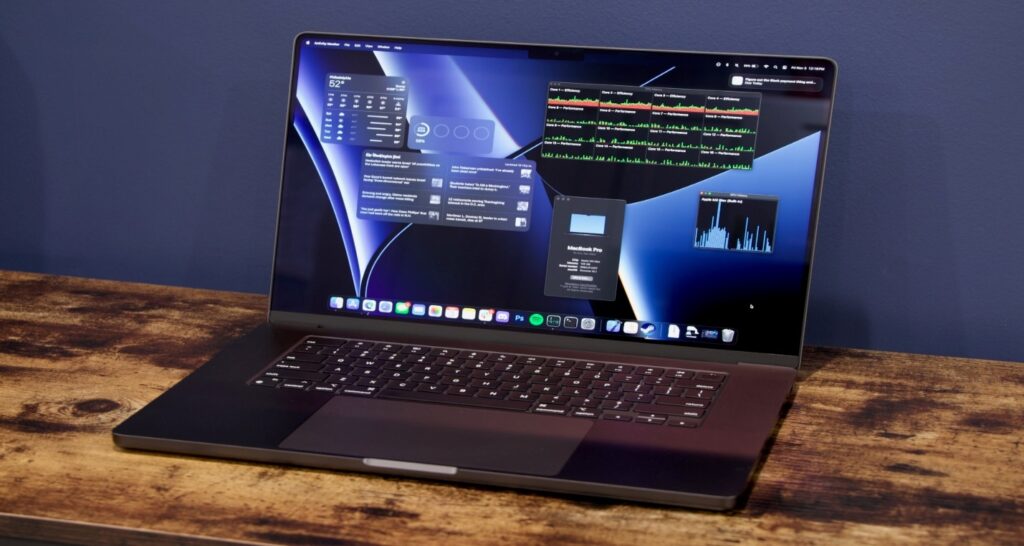
If you are looking for a new laptop, you might want to consider the latest MacBook models from Apple. The MacBook is one of the most popular and powerful laptops on the market, with a sleek design, a good quality processor, and a long battery life. In this article, we will review the top five latest MacBook models for 2024 and compare their features, prices, and performance. Whether you need a laptop for work, school, or entertainment, there is a MacBook that suits your needs.
Top 5 Latest MacBooks
Apple MacBook Air M2
Apple MacBook Air M3
Apple MacBook Pro 14 M3
Apple MacBook Pro 16 M3 Max
Apple MacBook Air M1
Apple MacBook Air M2
MacBook Air M2 is chosen by many users for its excellent performance and portability balance. The MacBook Air M2 is the ideal laptop for those who need to do their job while moving. It can be carried anywhere, but it is powerful, so you can do any work without problems. Its battery life is long, so it can be used for a long time without charging. Furthermore, the screen looks beautiful, making it ideal for watching movies and working on projects. Whether you are a student or a businessman, the MacBook Air M2 is convenient and reliable.
Features
Color Silver: Starlight, Space Gray
Chip: Apple M2 chip, up to 10 core CPU, 4 version cores and 4 efficiency cores, 16 core Neural Engine, 100GB/s memory bandwidth
Battery and Power: Movie playback with Apple TV application for up to 18 hours, wireless Web up to 15 hours
Charging and Expansion: Fast charging with MagSafe 3 charging port, 70W USB-C power adapter
Port: Thunderbolt 3 (up to 40Gb/ seconds), USB 4 (up to 40Gb/ seconds), USB 3.1 Gen 2 (up to 10Gb/ seconds)
Memory: 8GB configurable to unified memory, 16GB or 24GB
Storage: 256GB SSD, 512GB, 1TB, 2TB configurable
Keyboard and trackpad: Force Touch trackpad with 78 keys (USA) or 79 keys (ISO), 12 full-height function keys and 4 arrow keys (inverse T-array), Touch ID, environmental light sensor, accurate cursor control, and pen pressure sensing.
Wireless: Wi-Fi 6 (802.11ax), Bluetooth 5.3
Camera: 1080p FaceTime HD Camera, Advanced Image Signal Processor with Computational Video Function
Audio: Force Cancelling 6-speaker sound system with woofer, wide stereo sound, 3-microphone array with directional beam forming
Operating system: macOS, AC100V to 240V, 50Hz to 60Hz
Apple MacBook Air M3
MacBook Air M3 is expected to be a leader with a revamped design and enhanced performance. The new MacBook Air M3 is an ultra-thin laptop that is convenient for carrying. It is ideal for people who need to work on the go, such as students and people who have many business trips. Moreover, the battery lasts longer, so you don’t have to worry about looking for a charging location. Since the screen is easy to see, it is perfect for watching videos and working on projects that use many colors. The MacBook Air M3 is a laptop that looks good, works fast, and is very convenient.
Features
Color: Silver, Starlight, Space Gray, Midnight
Chip: Up to 10 core CPUs (4 performance cores, 4 efficiency cores), ray tracing with hardware acceleration, 16 core Neural Engine, 100GB/s memory bandwidth
Media engine: H.264, HEVC, ProRes, ProRes RAW with hardware acceleration, video encoding engine, ProRes encoding/decoding engine, AV1 decoding engine
Display: 13.6 inches and 15.3 inches (diagonal) LED backlight display with display IPS technology, native resolution 2560 × 1664, 224 pixels/inch, brightness 500nits
Memory: Up to 24GB configurable memory
Battery and power: up to 18 hours of Apple TV app movie playback.
Port: Dual USB-C Port Compact Power Adapter with 10-core GPU and storage and with 8-core GPU and
Storage: 256GB, 512GB, 1TB or 2TB
Charging and Expansion: 30W USB-C power adapter, MagSafe 3 charging port, Thunderbolt 3 (up to 40Gb/ seconds), USB 4 (up to 40Gb/ seconds)
keyboard and trackpad: backlit 78 keys (USA) or 79 keys (ISO) (inverse T-array with 12 full-height function keys and 4 arrow keys), and brush pressure sensing function; Force click, accelerator, brush pressure touch ID, environmental light sensor, Force Touch trackpad and multi-touch gesture for accurate cursor control and delicate drawing
Wireless: Wi-Fi 6 (802.11ax), Wi-Fi 6E (802.11ax), Bluetooth 5.3
Camera: 1080p FaceTime HD camera, advanced image signal processor with computational video function
Audio: 4 speakers and 6 speakers sound system, three microphone array with directional beam forming function
Operating system: macOS, AC100V to 240V, 50Hz to 60Hz
Apple MacBook Pro 14 M3
Apple MacBook Pro 14 M3 is a professional model with a balance of power and price. Equipped with a M3 processor, it delivers reliable performance for everyday work, creative work, and productivity improvement. As the cheapest MacBook Pro, it caters to professionals seeking reliable machines without spending as much money. Sophisticated aluminum enclosures, Retina displays, and comfortable keyboards keep you feeling luxurious. The 14″ display has a good screen size and portability balance and is suitable for multitasking. For designers, developers, and content creators, the MacBook Pro 14 M3 is a reliable tool for activities such as editing, coding, and video rendering.
Features
Color: Space Gray, Silver
Chip: Apple M3 chip, up to 10 core CPUs (4 performance cores, 4 efficiency cores), ray tracing with hardware acceleration, 16 core Neural Engine, 100GB/s memory bandwidth
Media engine: H.264, HEVC, ProRes, ProRes RAW with hardware acceleration, video encoding engine, ProRes encoding/decoding engine, AV1 decoding
Memory: 8GB unified memory, up to 24GB configurable
Battery and Power: Movie playback with battery and power Apple TV application: up to 22 hours, wireless Web: up to 15 hours
Storage: Configurable to storage 512GB or 1TB SSD, 1TB or 2TB
Charging and Expansion: SDXC card slot, fast charging with 96W USB-C power adapter
Port: HDMI port, 3.5 mm headphone jack, MagSafe 3 port, 2 Thunderbolt/USB 4 ports, DisplayPort, Thunderbolt 3 (up to 40Gb/ seconds), USB 4 (up to 40Gb/ seconds)
Keyboard and trackpad: 78 keys (USA) or 79 keys (ISO), 12 full-height function keys and 4 arrow keys (inverse T-array), Touch ID, environmental light sensor
Wireless: Wi-Fi 6E (802.11ax), Bluetooth 5.3
Camera: 1080p FaceTime HD camera, advanced image signal processor with computational video function
Audio: Hi-Fi 6 speaker sound system with audio force canceling woofer, wide stereo sound, AirPods Pro, AirPods Max
Operating system: macOS, AC100V to 240V, 50Hz to 60Hz
Apple MacBook Pro 16 M3 Max
Apple MacBook Pro 16 M3 Max is a powerful laptop for professionals who need the highest level of performance. Equipped with 16-core CPUs and 40-core GPUs, it is ideal for video editing, machine learning, and 3D rendering. With 16-inch Retina displays, rich memory options (up to 128GB RAM), and support for four external displays, the M3 Max is a versatile flagship product. Whether you are a creative professional or a data scientist, this laptop will do everything.
Features
Color: Space Black, Silver.
Chip: Apple M3 Pro chip, up to 18 core CPUs (6 performance cores and 6 efficiency cores), ray tracing with hardware acceleration, 16 core Neural Engine, 150GB/s memory bandwidth, Apple M3 Max chip, up to 40 core GPU s 14 Core CPU (10 Performance Core and 4 Efficiency Core), 16 Core CPU (12 Performance Core and 4 Efficiency Core), Ray Tracing with Hardware Acceleration, 16 Core Neural Engine, 300GB/s Memory Bandwidth.
Media engine: H.264, HEVC, ProRes, ProRes RAW, video decoding engine, ProRes encoding/decoding engine, AV1 decoding with hardware acceleration.
Keyboard and trackpad: 78 keys (USA) or 79 keys (ISO), 12 full-height function keys and 4 arrow keys (inverse T-array), Touch ID, environmental light sensor.
Wireless: Wi-Fi 6E (802.11ax), Bluetooth 5.3.
Camera: 1080p FaceTime HD camera, advanced image signal processor with computational video function.
Audio: The hi-fi six-speaker sound system has an audio force-cancelling woofer, wide stereo sound, and directional beamforming.
Operating system: macOS, AC100V?240V?50Hz?60Hz
Apple MacBook Air M1
The Apple MacBook Air M1 is one of the most affordable and versatile laptops in the MacBook lineup. It features the M1 chip, which is Apple’s first custom-designed processor for Macs. The M1 chip delivers up to 3.5 times faster performance, up to 5 times faster graphics, and up to 18 hours of battery life than the previous generation. The MacBook Air M1 also has a stunning 13.3-inch Retina display, a backlit Magic Keyboard, a Touch ID sensor, and a fanless design for silent operation. The MacBook Air M1 is ideal for students, professionals, and creatives who need a powerful and portable laptop.
Features
Color: Gold, Silver, Space Gray
Display: Retina display, 13.3 “(diagonal) LED backlight display with IPS technology, native resolution 2,560 × 1,600 pixels/inch, millions of colors, maximum resolution 1,680 × 1,050 pixels, brightness 400nits
Chip: Apple M1 chip, up to 8 cores CPU (4 performance cores, 4 efficiency cores), 16 cores Neural Engine
Battery and power: up to 15 hours of wireless Web, up to 18 hours of movie playback with Apple TV application
Charging and Expansion: 30W USB-C power adapter, Thunderbolt 3 (up to 40Gb/second)
Port: DisplayPort, USB 4 (up to 40Gb/ seconds), USB 3.1 Gen 2 (up to 10Gb/ seconds), 3.5 mm headphone jack
Memory: 8GB unified memory, up to 16GB configurable
Keyboard and trackpad: 78 keys (USA) or 79 keys (ISO) (inverse T-array with 12 function keys and 4 arrow keys), environmental light sensor, Touch ID sensor
Camera: 720p FaceTime HD Camera, Advanced Image Signal Processor with Computational Video Function
Audio: stereo speaker, wide stereo sound, 3 microphone array with directional beam forming function, 3.5 mm headphone jack
Operating system: macOS, 100V to 240V AC, 50Hz to 60Hz
Conclusion
In 2024, the latest MacBook lineup offers diverse options catering to various needs. The MacBook Air M2 balances performance and portability flawlessly, and it is ideal for on-the-go tasks with its long battery life and stunning display. Meanwhile, the revamped MacBook Air M3 promises enhanced performance and sleek design, perfect for students and frequent travelers. The MacBook Pro 14 M3 strikes a balance between power and affordability, catering to professional users on a budget. The MacBook Pro 16 M3 Max stands out for power users with its unmatched performance, making it ideal for intensive tasks like video editing. Even the older MacBook Air M1 remains a viable option for budget-conscious buyers.
There are many different choices, from very expensive phones with top-notch features to cheaper ones that have some trade-offs.
As tech analysts covering all things of mobiles, we’ve tested the latest mobile phones, including some with light up rear covers, some that roll in half, and some that fit in the smallest of palms. Below, we have introduced the latest Android phone comparison with specifications and features.
1. Samsung Galaxy S24 Ultra
Samsung Galaxy S24 Ultra no doubt is one of the best android handset in 2024 with multiple top quality features which are not present in most of the mobiles. It is well-rounded with all kinds of latest built-in features.
Here is a brief description of this phone’s specifications.
Resolution
This handset includes a large display of 6.8 inches with a resolution of 1440 by 3120 pixels. It shows that this phone has a large screen display with 4k quality, which is good for gaming, watching movies, and other videos.
Ram and storage
In this handset, we can use memory from 256GB to 1TB of storage. This is the only handset which is offering 1TB storage, no other mobile in the world has storage capacity of 1TB with the ram of 12GB.
Camera
We take advantage of a rear camera with 200MP with full HD quality. It has high resolution and large magnification which allows you to capture amazing photos and make high quality videos.
Network
This mobile has a range of frequencies of network from 2g, 3g, 4g, and 5g. As 5g is launched in some countries, this handset supports 5g network which must be the requirement of all phones for future success. Moreover, it gives a Wi-Fi connection with dual-band.
Battery
This handset has battery capacity of 5000mah which gives you relaxation about battery life which is a problem of most handsets nowadays. Moreover, the material of this battery is lithium, which is a very reliable and high-quality material used for long life. It also has a wireless charging feature which allows you to charge your mobile without using a wired charger.
Price(At Amazon)
Some prices of this handset in the USA for different versions of this mobile are given below.
12GB + 256GB
$ 1,299
12GB + 512GB
$ 1,419
12GB + 1024GB
$ 1,659
2. Samsung Galaxy S23 Ultra
On the second number again is an Android handset by Samsung, which belongs to the S series of Samsung, such as the above handset, which is named Samsung Galaxy S23 Ultra. This phone has features comparable to Samsung S24 Ultra but some features are missing which are present in above mentioned handset.
Here are some brief specifications of this mobile.
Screen
Like the S24 ultra, this s series mobile of Samsung has a large screen of 6.8 inches and gives a beautiful display. It has a dimension of 1440×3088 (width by height). Its height is a little bit smaller as compared to the S24 Ultra. But the overall display is like the S24 Ultra. We can watch full HD and 4k movies and enjoy games without any distractions.
Android version
It is the Android 13 version by default but can also be upgraded to the Android 14 model on demand if anyone needs it. This android version supports latest apps and high storage games and supports such apps which are not supported by the android mobiles below android 10.
Camera
With 200MP back camera you can capture amazing photos which covers a large space of scenery and gives fantastic images which can’t be taken by other mobiles. It has the best zooming capacity to capture photos of distant objects, too. With a 12MP front camera, we can create beautiful selfies, which is one its best features.
Battery and network
With 5000mAh battery capacity, you can use it for many hours without any interaction. It has a non-removable lithium battery; lithium Li-On batteries are more durable as it is made up of material other than lithium. It supports wireless charging to charge the battery without using a wired charger.
With the wide range of network frequencies from 2g, 3g, 4g, and 5g; it gives high speed internet using 5g technology.
Price (at Walmart)
12GB RAM & 256GB ROM $925
3. Vivo flying drone camera mobile
Vivo mobile, with a flying drone camera, acquires the third number in the world of the latest Android phones. This is the first-ever mobile that has this unique feature. In this handset the drone camera is folded in it which can be taken out of the mobile when you want to use your drone camera. This drone camera is controlled and charged through a mobile.
Some salient specifications of this smartphone are summarized here.
Display
With 1440 x 3100 (width by height) and 6.84 inch display this smartphone gives you a fantastic display like Samsung galaxy S23 & S24 Ultra. This display is enough to play games and watch 4k videos with efficient quality.
Battery
With a 6900mAh battery capacity, you can use this mobile comfortably for days without charging your handset. Its battery capacity is even more than S23 and S24 Ultra. This battery is also made of a lithium element which is used especially for making high battery capacity.
Camera
One of the unique features of this mobile, which is unmatched to all other mobiles built today, is its drone camera feature. This drone camera is packed in it from the side and charged from mobile directly. The camera in this drone has 200MP capacity and zooming. It flies like other drone cameras and works the same as other cameras.
Storage and ram
With 12GB RAM and 256GB storage capacity, you can save your precious data in vast amounts. Though, its storage capacity is less as compared to the Samsung handsets described above.
Price (At Gsmarenaspecs)
Its price according to gsmarenaspecs.com is $1170.
4. OnePlus 11
The fourth number in the list of top 5 latest technology android mobiles is the OnePlus 11 which has best features which are not present in common mobiles used worldwide.
Some important features of this smartphone are described below:
Network & Storage
You can use GSM, HSPA, LTE, and 5g for internet on this handset. It has dual nano-sims, and you can use e-sim in it, too. It gives you the best internet speed. Moreover, with 512GB of storage capacity, you can save a lot of data; and with 16GB of RAM to run your phone smoothly and enjoy videos efficiently.
Battery
With a 5000 maH non-removable lithium Li-on battery, you can use your smartphone for many hours, continuously watching movies and enjoying games in it. One of the features which is missing in it is wireless charging.
Display screen
With a 6.7 inch and 1440 by 3216 pixel large display you can enjoy 4 k quality movies and songs.
Camera
It has a 16MP front camera to capture beautiful selfies with HD quality. Its rear camera has 50MP with high zooming capacity allows you to record high quality videos with high frame rate per second to enhance video quality.
Price (at Amazon)
8GB RAM 128GB storage $699
12GB RAM 256GB storage $665
5. Google Pixel 7a
In the latest technology android ranking fifth number is Google pixel 7a, which is a best Android mobile with reasonable price. It is giving you multiple features with all the best Google apps and Google AI built in it.
Some features of this handset are below:
Storage & RAM
With 128GB of storage capacity, you can use the best storage capacity, save your data, and access it when you need it. With 8 GB RAM, it allows mobile to work smoothly and fast and allows apps to function properly.
Camera
It has a back camera of 64MP, which is enough to record beautiful videos and pictures. It can record HD videos. It has a front camera of 13 MP to capture selfies.
Battery
It has a 4385mH battery, which you can use for days and nights. It has no wireless charging as present in smartphones mentioned above.
Display
It has a medium-range display of 6.1 inches as compared to the mobiles mentioned above. This medium-sized screen is still good for watching movies and enjoying games.
Price (At Amazon)
128GB 8GB RAM $244
256GB 8GB RAM $370
Table of Top 5 Latest Android phone comparisons
Features
Samsung Galaxy 24 Ultra
Samsung Galaxy S23 Ultra
Vivo flying drone camera phone
Oneplus 11
Google Pixel 7 a
Display
6.8 inches
6.8 inches
6.84 inches
6.7inches
6.1 inched
Ram & storage
12GB RAM & memory from 256GB to 1 TB
12GB RAM & memory from 256GB to 1 TB
12GB RAM & 256GB memory
16GB RAM $ 512GB storage
8GB RAM & 128GB storage
Camera
Back:200MP Front:12MP
Back:200MP Front:12MP
Drone camera:200MP
Back:50MP Front:16MP
Back:64MP Front:13MP
Network
GSM, HSPA, LTE, 5g
GSM, HSPA, LTE, 5g
GSM, HSPA, LTE, 5g
GSM, HSPA, LTE, 5g
GSM, HSPA, LTE, 5g
Battery
5000maH
5000maH
6900maH
5000maH
4385maH
Conclusion
There is a lot of variety in Android phones, from low-cost devices with basic features to premium ones. According to the test we have performed on the above 5 android phones we conclude that the Samsung Galaxy S24 Ultra is the best choice. It has excellent software and camera quality, and it is more affordable than other flagship phones. It also has more extended support for software updates than most Android phones.
Are you worried about operating slowly or turning off your MacBook? It makes sense to repair an old MacBook and save on buying a new one. But what do you do with your old MacBook to regain its performance? Repairing a MacBook is a wise choice if you want to save your money. In this 2024 update, we have covered advanced MacBook repair tips and tricks.
Sluggish Performance:
If your MacBook is operating slower than usual, you must troubleshoot it. First, check your available storage space and ensure you have enough free space for your MacBook to run efficiently. You can also close processes or unnecessary applications running in the background of your device. In addition, deleting transient files and caches can help improve performance.
Battery Drainage:
If you observe that your MacBook’s battery is draining quickly, you can troubleshoot it with some of the latest MacBook repair tips and tricks. Take a start by checking for any power-consuming applications that may be running in the background and turning off them. Adjusting your screen brightness and turning off unessential features like Bluetooth can save battery life. If the issue continues, resetting the System Management Controller (SMC) may resolve it.
Internet Connection Issues:
Internet connection (Wi-Fi) problems can cause hurdles to better functioning your MacBook. But there are some tips to resolve this issue. First, ensure your Wi-Fi router works correctly and let other devices connect easily. Restarting your device and resetting the network settings can also prove helpful. If the issue continues, deleting and re-adding the Wi-Fi network also works.
Here are some helpful tips and tricks to repair your damaged MacBook.
Unplug All Accessories:
Disconnect all the accessories like printers and USB hubs attached to your device. If installing a new hard drive or RAM in your MacBook, check that it is installed accurately.
Execute a Power Cycle:
If the steps above don’t fetch signs of life, performing a power cycle might help restart your MacBook. To do this, hold down the power key of your MacBook for ten seconds. It will work well after waiting ten seconds and restarting.
Check MacBook’s Screen:
When you see nothing on the MacBook screen, it can be that it is not working. The cracked screen may be a reason. To detect the actual cause, check for sounds and lights. A startup chime means your MacBook is working; wait a few seconds for a display. If nothing appears, it means there may be a screen problem.
Check for a flashlight via the Apple logo on the back of your screen. In case of a dull image, click on the screen “brightness up” button on the keyboard sometimes to maximize the screen brightness. If the same dull image continues, there is a screen backlight problem.
Check for a flat battery.
Swollen battery issues may occur when you haven’t used your MacBook for an extended period. If you have a pre-2012 MacBook model, check the battery via a battery check button and a battery status indicator. If the flat battery is the reason for turning off your MacBook, connecting a working charger turns on it.
However, some models of MacBooks require a minimum battery power before turning it on. So, you have to wait for almost 5 minutes. After that time, tap on the power button to see if MacBook can turn on. If your MacBook remains off, go to the next steps.
Activate Safe Mode:
Booting up your MacBook in Safe Mode can turn your unhappy Mac to start up successfully and then restart it normally, and everything goes perfectly alright. Safe Mode’s interface looks slightly different, with blocks of color rather than transparency. You can run certain checks and make alterations that prove helpful in fixing your Mac.
Reset the SMC:
Resetting your Mac’s SMC (System Management Controller) works great in some situations. This is a wise attempt to fix the current macOS version before recovering the data and reinstalling the OS. To do this, follow the given step-wise guide:
Shut down your MacBook.
Disconnect and reconnect the power cable.
Click on Shift + Ctrl + Option/Alt keys and the power button simultaneously.
After that, release all these keys and the power button simultaneously.
The light on the power cable appears.
At last, restart your MacBook.
Try out all the repairing tips; if you succeed, then it’s your good efforts. But if all tricks fail to work, don’t forget to navigate to iFixNSell for professional services.
Few things are more frustrating than working hard on an important project, only to have your MacBook unexpectedly shut down from a depleted battery. Rapid battery drain can severely disrupt workflows with slower speeds, leaving you scrambling for an outlet.
Luckily, there are a few tweaks you can make to significantly improve your battery life. In this article, we’ll cover common (and uncommon) culprits behind fast battery drain and actionable solutions you can implement right away.
What causes your Macbook’s battery problems?
There are a few factors that cause your battery to drain rapidly:
Old battery: Lithium-ion batteries naturally degrade over repeated charge cycles. After a few years of use, your battery simply won’t hold as much juice.
Outdated MacOS: If your system isn’t up-to-date, you may not be running at peak efficiency, draining your Macbook’s battery unnecessarily.
Too many apps: The more programs and processes running, the more power they consume. Inactive open browser tabs also drain the battery.
High brightness: Pumping up screen brightness may look nice, but it’s a major battery hog.
Indexing and Spotlight: Indexing files in the background can temporarily sap more power.
“Screen Time” app: This usage tracker runs non stop unless disabled, slowly draining battery.
How to stop battery draining
While you can always replace your Mac’s battery, there are a few simple adjustments you can make that will extend your battery’s life considerably:
1. Dim screen brightness
Go to Settings > Display and reduce brightness to around 50%. This alone can add 45-60 minutes of extra usage time per charge since the screen is a major power draw.
Unfortunately, if you’re working in a bright environment, this may not work for you — but don’t worry, you can also try disabling Bluetooth (and WiFi when possible) to get an extra 30 to 60 minutes of battery.
2. Disable the “Screen Time” feature
If you still get notifications every Sunday about the amount of time you’ve used your MacBook, you may have noticed that the time is always longer than when you’ve actually used your computer. That’s because Screen Time is constantly running in the background, unless you’ve shut your computer off.
So by heading to Settings > Screen Time, you can instantly save some extra battery life per charge.
Bonus tip: Turn off your keyboard backlight if you haven’t already — it’ll help you save battery instantly. Plus, here’s how to fix your butterfly keyboard problems.
3. Close unused apps and windows
Your computer’s main job is to run applications quickly, but when you’re really scrambling for more battery power, it’s important to close anything that isn’t essential. While it might be a hassle to reopen tabs each time you need to access them, you’ll save battery charge in the long run.
4. Replace your battery
If none of these tips above helped, it might be time to replace your battery, especially if it’s working at less than 80% maximum capacity. Our experts at iFixnSell can safely install an Apple-certified, high-quality MacBook battery.